
What's DMARC?
Domain based Message Authentication, Reporting or Conformance, or DMARC for short, tells receiving mailservers how to handle mail that fails SPF (who's allowed to send mail on behalf of this email?), DKIM (did this mail really originate from the domain?), or both, and can provide reporting to help you discover misconfigurations. If delivering a mail fails, or a mailserver rejects a mail because SPF or DKIM failed (most likely because of spam/scams), if configured, a DMARC report would be sent to the offender. Oftentimes, even if DMARC passes, an email is still sent to the reporting address to signify success.
The reporting address is specified in a DNS record, e.g.:
_dmarc.example.com. IN TXT "v=DMARC1; p=reject; rua=mailto:dmarc-reports@example.com"Fun fact:
INstands for internet.
DMARC reports are in XML, and aren't really human-readable. Take a look at this mess:
<?xml version="1.0" encoding="UTF-8" ?>
<feedback>
  <report_metadata>
    <org_name>lukadeka.com</org_name>
    <email>noreply-dmarc@lukadeka.com</email>
    <report_id>...</report_id>
    <date_range>
      <begin>...</begin>
      <end>...</end>
    </date_range>
  </report_metadata>
  <policy_published>
    <domain>lukadeka.com</domain>
    <adkim>r</adkim>
    <aspf>r</aspf>
    <p>reject</p>
    <sp>reject</sp>
    <fo>0</fo>
  </policy_published>
  <record>
    <row>
      <source_ip>...</source_ip>
      <count>2</count>
      <policy_evaluated>
        <disposition>reject</disposition>
        <dkim>fail</dkim>
        <spf>fail</spf>
      </policy_evaluated>
    </row>
    <identifiers>
      <envelope_from>...</envelope_from>
      <header_from>lukadeka.com</header_from>
    </identifiers>
    <auth_results>
      <spf>
        <domain>...</domain>
        <scope>helo</scope>
        <result>none</result>
      </spf>
      <spf>
        <domain>...</domain>
        <scope>mfrom</scope>
        <result>fail</result>
      </spf>
    </auth_results>
  </record>
  <record>
    ...
  </record>
</feedback>
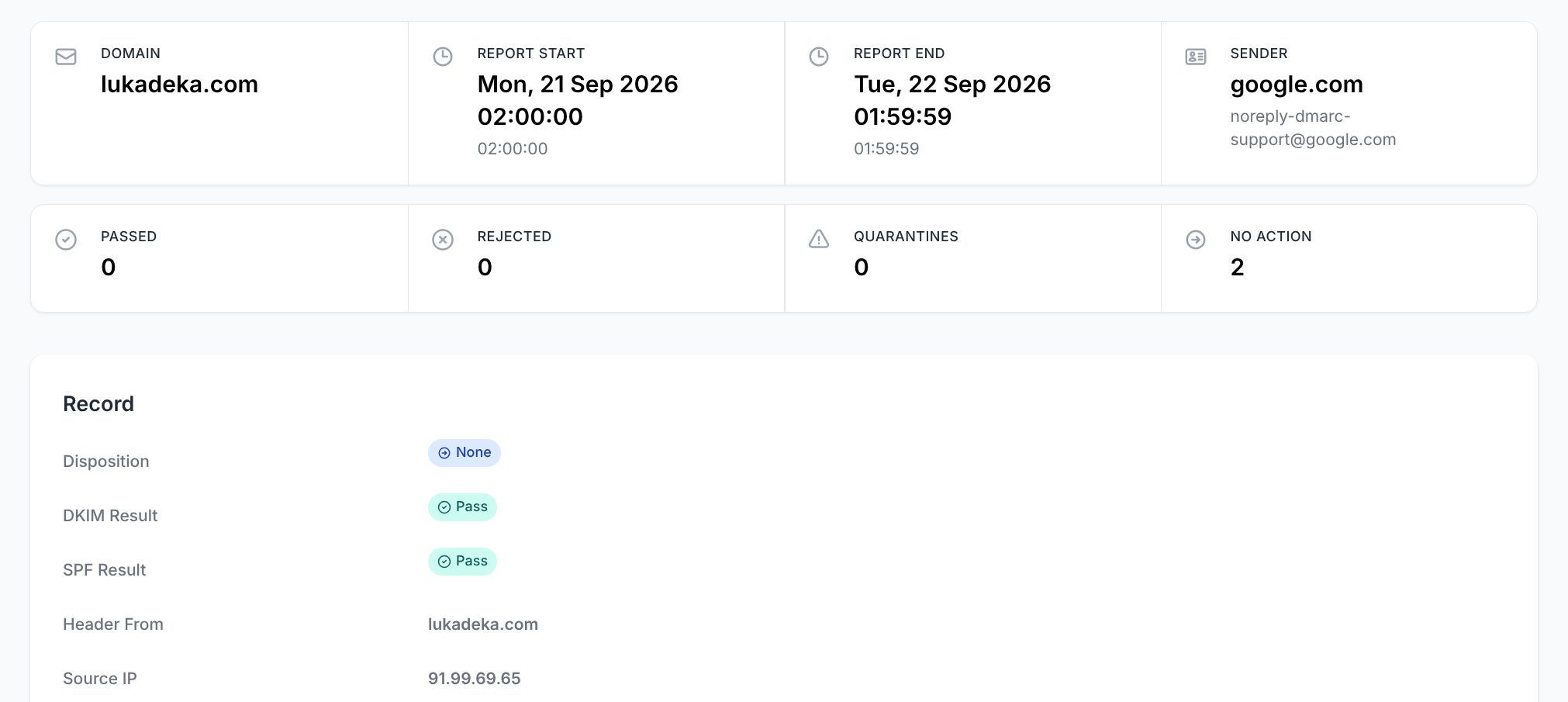
Instead, they're meant to be processed by automatic aggregation tools. Free third party services exist, but Stalwart Mail (the mailserver I use) has a built-in tool. This is a DMARC report received by my mailserver from Google (they love sending me DMARC reports):
How could you mess this up?
Now that we understand DMARC, we can look at what happened many times in my mailbox.
My mailserver sends DMARC reports to other mailservers whenever I send an email and it gets delivered. It's surprising how many people misconfigure their mailservers where either the address doesn't exist, or doesn't accept incoming mails (that's the whole point!). In both cases I get a mail from either my mailserver's mailer daemon or their mailserver that delivery failed.
I use a catch-all email setup, so I receive (almost) all mails sent at @lukadeka.com, and these failures end up in my mailbox.
I even received an automatic mail from a "Technology Leader" from SAP, telling me they were in India, and working from a different timezone:
"Thank you for your message. I am travelling and will be working from the Bangalore office from August 24 to August 28 during India hours."

I wonder why the "Technology Leader" never checked why DMARC reports constantly land in their mailbox.
Other domains included:
- ashbyhq.com - Job application platform
- cresta.ai - Where I applied for a job
- gozauber.com - Where I applied for a job
This gave me an idea, to write a follow-up email informing them of the misconfiguration, and offering that I could fix it if they were to hire me, but people don't get the best first-impression when they're told they messed up.
All in all, seeing these mails when I wake up just makes me laugh a little, and I wanted to share that experience.